Visualization

Plotting optimization progress, surrogate surfaces, and contour plots.

spotoptim provides plotting utilities for inspecting optimization runs. You can visualize the convergence history, the fitted surrogate surface, contour maps of any callable, and the distribution of evaluated design points. All plot functions live under spotoptim.plot.


Optimization Progress

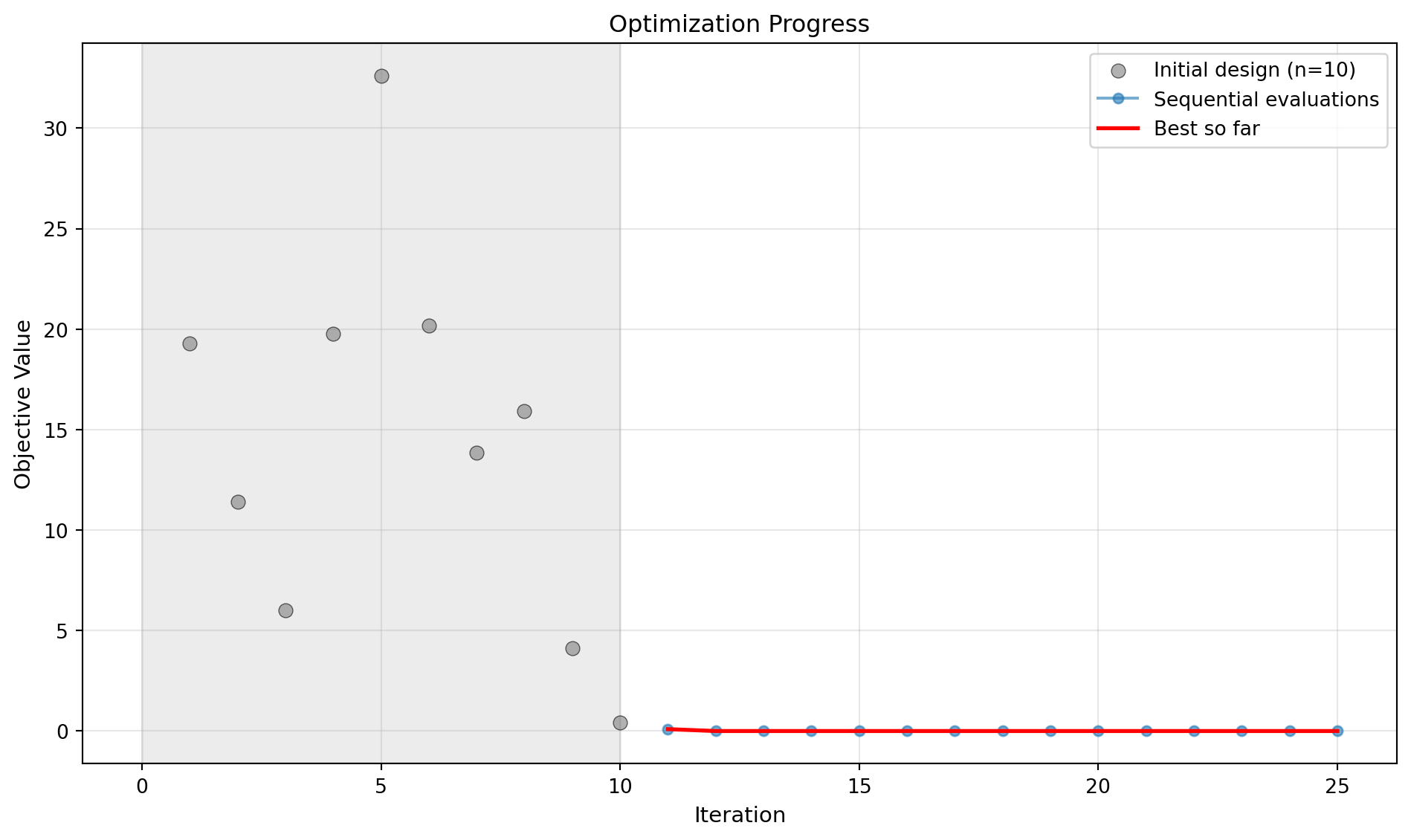
plot_progress displays the full evaluation history as a scatter/line chart with a best-so-far curve overlaid in red. Initial design points appear as grey dots with a shaded background region; sequential evaluations are connected by a line.

import numpy as np
from spotoptim import SpotOptim
from spotoptim.function import sphere
from spotoptim.plot.visualization import plot_progress

opt = SpotOptim(
    fun=sphere,
    bounds=[(-5, 5), (-5, 5)],
    max_iter=25,
    n_initial=10,
    seed=0,
)
result = opt.optimize()

plot_progress(opt)

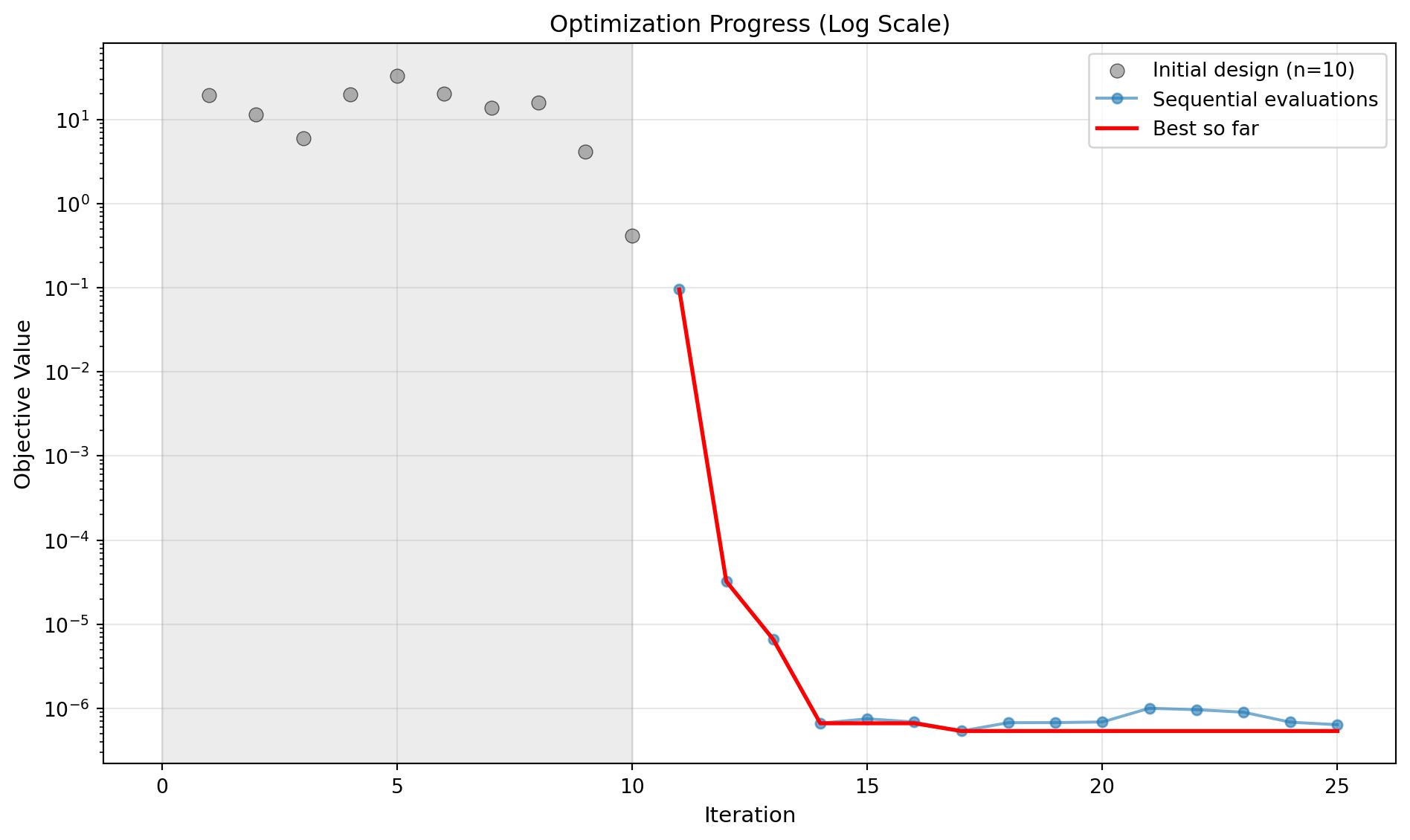
Pass log_y=True when the objective spans several orders of magnitude:

import numpy as np
from spotoptim import SpotOptim
from spotoptim.function import sphere
from spotoptim.plot.visualization import plot_progress

opt = SpotOptim(
    fun=sphere,
    bounds=[(-5, 5), (-5, 5)],
    max_iter=25,
    n_initial=10,
    seed=0,
)
result = opt.optimize()

plot_progress(opt, log_y=True)


Surrogate Surface

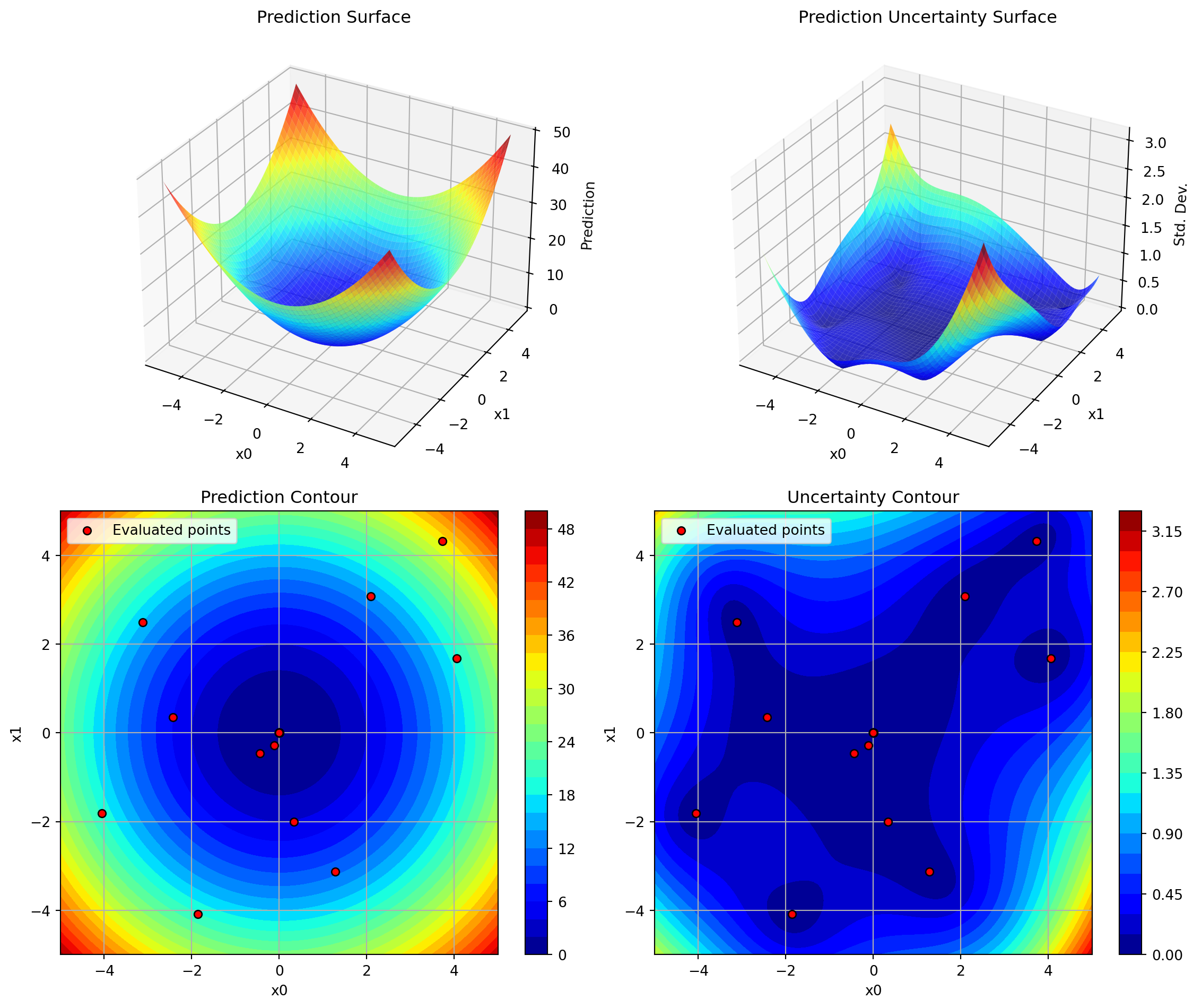
plot_surrogate renders a 2x2 panel showing the fitted surrogate model for two selected dimensions:

Panel Content
Top left 3D surface of predictions
Top right 3D surface of prediction uncertainty
Bottom left Contour of predictions with evaluated points
Bottom right Contour of prediction uncertainty

Use the i and j arguments to choose which pair of dimensions to project onto. All other dimensions are held at their midpoint.

import numpy as np
from spotoptim import SpotOptim
from spotoptim.function import sphere
from spotoptim.plot.visualization import plot_surrogate

opt = SpotOptim(
    fun=sphere,
    bounds=[(-5, 5), (-5, 5)],
    max_iter=25,
    n_initial=10,
    seed=0,
)
result = opt.optimize()

plot_surrogate(opt, i=0, j=1)

Key parameters:

Parameter Default Description
i 0 First dimension index
j 1 Second dimension index
cmap "jet" Matplotlib colormap
num 100 Grid resolution per axis
add_points True Overlay evaluated points on contour panels
contour_levels 30 Number of contour levels

Contour Plots

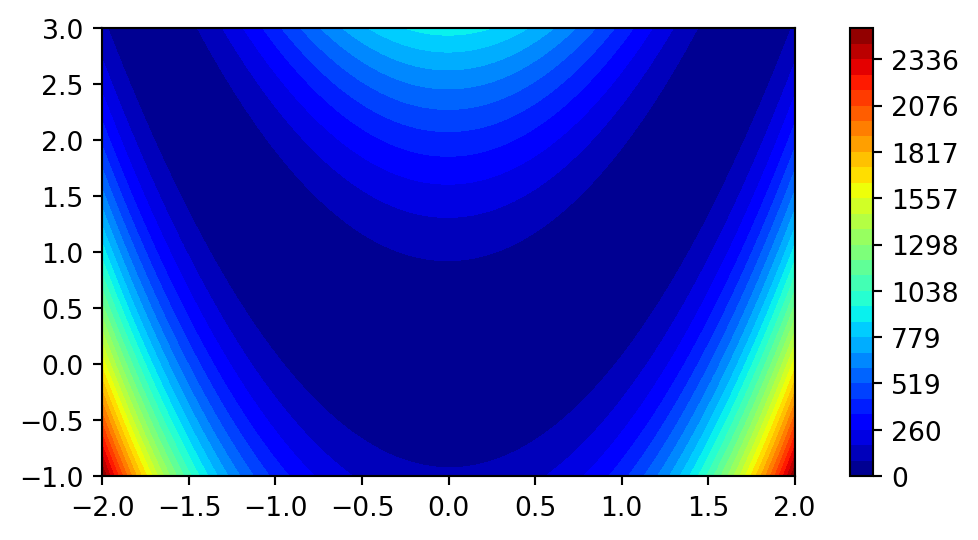
simple_contour draws a quick 2D filled contour of any callable over a rectangular region. The function must accept a (1, 2) array and return a scalar (or 1-element array).

import matplotlib.pyplot as plt
import numpy as np
from spotoptim.function import rosenbrock
from spotoptim.plot.contour import simple_contour

simple_contour(
    fun=rosenbrock,
    min_x=-2,
    max_x=2,
    min_y=-1,
    max_y=3,
    n_levels=30,
)
plt.show()

Parameters:

Parameter Default Description
min_x, max_x \(-1\), \(1\) Range for the first axis
min_y, max_y \(-1\), \(1\) Range for the second axis
n_samples 100 Grid resolution per axis
n_levels 30 Number of contour levels

Design Points

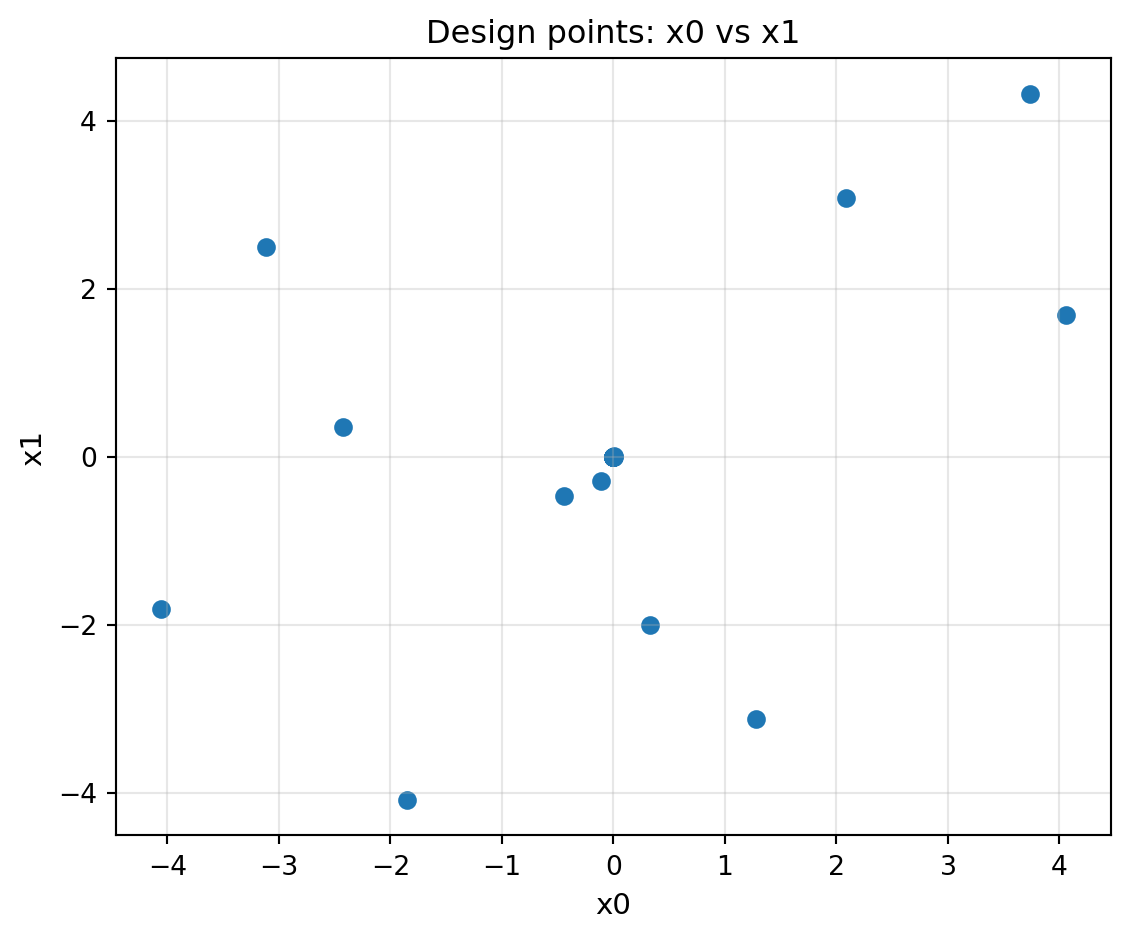
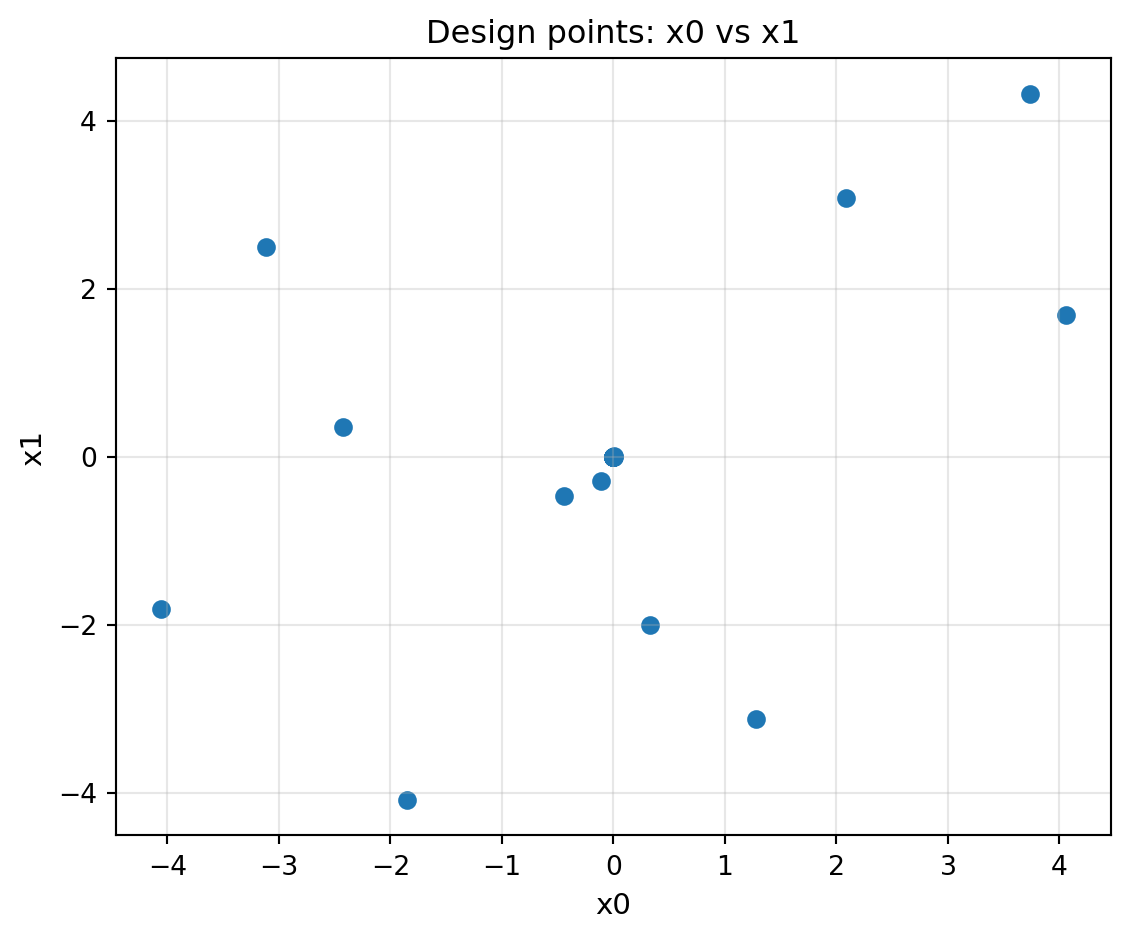
plot_design_points creates a scatter plot of evaluated points projected onto two dimensions. When the problem has more than two dimensions, the remaining dimensions are aggregated (default: mean) and used to colour the markers, giving a visual cue about hidden-dimension spread.
import numpy as np
from spotoptim import SpotOptim
from spotoptim.function import sphere
from spotoptim.plot.visualization import plot_design_points

opt = SpotOptim(
    fun=sphere,
    bounds=[(-5, 5), (-5, 5)],
    max_iter=25,
    n_initial=10,
    seed=0,
)
result = opt.optimize()

plot_design_points(opt.X_, i=0, j=1)

Parameters:

Parameter Default Description
i 0 Dimension index for the x-axis
j 1 Dimension index for the y-axis
agg "mean" Aggregation for hidden dimensions ("mean", "median", "min", "max", or a callable)
show True Whether to call plt.show()

Next Steps