plots.time_series_visualization
Time series visualization.
Functions
plot_forecast
= None ,= 'Forecast' ,= None ,= True ,= None ,= 1 ,= True ,Plot model forecast against actuals and display CV metrics.
Parameters
model
Any Fitted scikit-learn model.
required
X
pd .DataFrame Feature matrix (e.g., test set).
required
y
Union [pd .Series , pd .DataFrame ]Target series or DataFrame (e.g., test set).
required
cv_results
Optional [Dict [str , Any ]]Optional dictionary of cross-validation results from evaluate() or sklearn.model_selection.cross_validate().
None
title
str Title of the plot. Defaults to “Forecast”.
'Forecast'
figsize
Optional [tuple ]Figure dimensions.
None
show
bool Whether to display the plot. Defaults to True.
True
nrows
Optional [int ]Number of rows for subplots (multivariate).
None
ncols
int Number of columns for subplots (multivariate).
1
sharex
bool Whether to share x-axis for subplots. Defaults to True.
True
Returns
plt.Figureplt.Figure: The matplotlib Figure object.
Examples
import matplotlib.pyplot as pltimport numpy as npimport pandas as pdfrom sklearn.linear_model import LinearRegressionfrom spotforecast2.plots.time_series_visualization import plot_forecast= pd.date_range("2023-01-01" , periods= 10 , freq= "D" )= pd.DataFrame({"feat" : np.arange(10 , dtype= float )}, index= dates)= pd.Series(np.arange(10 , dtype= float ), index= dates, name= "target" )= LinearRegression().fit(X, y)= plot_forecast(model, X, y, show= False )assert isinstance (fig, plt.Figure)assert len (fig.axes) >= 1 print (f"plot_forecast: figure with { len (fig.axes)} subplot(s)" )
plot_forecast: figure with 1 subplot(s)
plot_predictions
= None ,= 'Predictions vs Actuals' ,= None ,= True ,= None ,= 1 ,= True ,Plot actual values against one or more prediction series.
Allows visualizing model performance by overlaying predictions on top of actual data. Supports slicing to focus on a specific time range (e.g., the recent test set). Handles both univariate and multivariate targets by creating subplots for multiple targets.
Parameters
y_true
Union [pd .Series , pd .DataFrame ]Series or DataFrame containing the actual target values.
required
predictions
Dict [str , Union [pd .Series , pd .DataFrame , np .ndarray ]]Dictionary where keys are labels (e.g., model names) and values are the corresponding predictions. If arrays are provided, they must have the same length as the sliced y_true.
required
slice_seq
Optional [slice ]Optional slice object to select a subset of the data. If None, the entire series is plotted. Example: slice(-96, None) to select the last 96 points.
None
title
str Title of the plot. Defaults to “Predictions vs Actuals”.
'Predictions vs Actuals'
figsize
Optional [tuple ]Tuple defining figure width and height. If None, automatically calculated based on number of subplots.
None
show
bool Whether to display the plot. Defaults to True.
True
nrows
Optional [int ]Number of rows for subplots (multivariate). Defaults to n_targets.
None
ncols
int Number of columns for subplots (multivariate). Defaults to 1.
1
sharex
bool Whether to share x-axis for subplots. Defaults to True.
True
Returns
plt.Figureplt.Figure: The matplotlib Figure object containing the plot.
Examples
import matplotlib.pyplot as pltimport numpy as npimport pandas as pdfrom spotforecast2.plots.time_series_visualization import plot_predictions= pd.date_range("2023-01-01" , periods= 10 , freq= "D" )= pd.Series(np.arange(10 , dtype= float ), index= dates, name= "Target" )= {"Model A" : y_true + 0.5 , "Model B" : y_true - 0.3 }= plot_predictions(y_true, predictions, show= False )assert isinstance (fig, plt.Figure)assert len (fig.axes) >= 1 print (f"plot_predictions: figure with { len (fig.axes)} subplot(s)" )
plot_predictions: figure with 1 subplot(s)
plot_seasonality
= (8 , 5 ),= True ,= False ,Plot seasonal patterns (annual, weekly, daily) for a given target.
Creates a 2x2 grid of plots: 1. Distribution by month (boxplot + median). 2. Distribution by week day (boxplot + median). 3. Distribution by hour of day (boxplot + median). 4. Mean target value by day of week and hour.
Parameters
data
pd .DataFrame DataFrame containing the time series data. Must have a DatetimeIndex or an index convertible to datetime.
required
target
str Name of the column to plot.
required
figsize
tuple [int , int ]Figure dimensions (width, height). Defaults to (8, 5).
(8, 5)
show
bool Whether to display the plot immediately. Defaults to True.
True
logscale
Union [bool , list [bool ]]Whether to use a log scale for the y-axis. Can be a single boolean (applies to all 4 plots) or a list of 4 booleans (applies to each plot individually). Defaults to False.
False
Returns
plt.Figureplt.Figure: The matplotlib Figure object.
Examples
import matplotlib.pyplot as pltimport pandas as pdfrom spotforecast2.plots.time_series_visualization import plot_seasonality= pd.date_range("2023-01-01" , periods= 1000 , freq= "h" )= pd.DataFrame({"value" : range (1 , 1001 )}, index= dates)# Uniform log scale across all four panels = plot_seasonality(data= df, target= "value" , logscale= True , show= False )assert isinstance (fig, plt.Figure)assert len (fig.axes) == 4 print (f"plot_seasonality: figure with { len (fig.axes)} axes (log scale)" )
plot_seasonality: figure with 4 axes (log scale)
Per-panel log scale:
import matplotlib.pyplot as pltimport pandas as pdfrom spotforecast2.plots.time_series_visualization import plot_seasonality= pd.date_range("2023-01-01" , periods= 1000 , freq= "h" )= pd.DataFrame({"value" : range (1 , 1001 )}, index= dates)= plot_seasonality(= df,= "value" ,= [True , False , False , False ],= False ,assert isinstance (fig, plt.Figure)print ("plot_seasonality: per-panel log scale applied" )
plot_seasonality: per-panel log scale applied
plot_zoomed_timeseries
= None ,= (8 , 4 ),= True ,Plot a time series with a zoomed-in focus area.
Creates a two-panel plot: 1. Top panel: Full time series with the zoom area highlighted. 2. Bottom panel: Zoomed-in view of the specified time range.
Parameters
data
pd .DataFrame DataFrame containing the time series data. Must have a DatetimeIndex or an index convertible to datetime.
required
target
str Name of the column to plot.
required
zoom
tuple [str , str ]Tuple of (start_date, end_date) strings defining the zoom range.
required
title
Optional [str ]Optional title for the plot. If None, defaults to target name.
None
figsize
tuple [int , int ]Figure dimensions (width, height). Defaults to (8, 4).
(8, 4)
show
bool Whether to display the plot immediately. Defaults to True.
True
Returns
plt.Figureplt.Figure: The matplotlib Figure object.
Examples
import matplotlib.pyplot as pltimport pandas as pdfrom spotforecast2.plots.time_series_visualization import plot_zoomed_timeseries= pd.date_range("2023-01-01" , periods= 100 , freq= "h" )= pd.DataFrame({"value" : range (100 )}, index= dates)= plot_zoomed_timeseries(= df,= "value" ,= ("2023-01-02 00:00" , "2023-01-03 00:00" ),= False ,assert isinstance (fig, plt.Figure)assert len (fig.axes) == 2 print (f"plot_zoomed_timeseries: figure with { len (fig.axes)} axes" )
plot_zoomed_timeseries: figure with 2 axes
visualize_ts_comparison
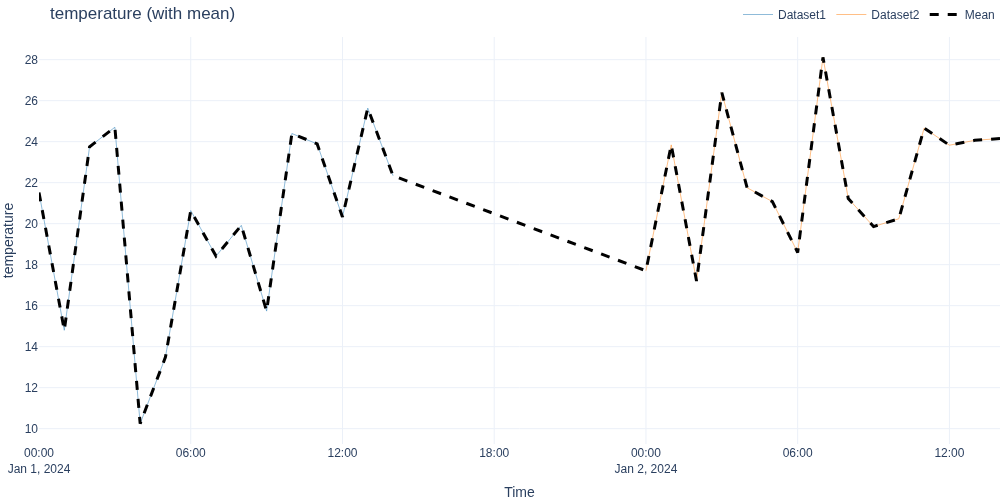
= None ,= '' ,= (1000 , 500 ),= 'plotly_white' ,= None ,= False ,** kwargs,Visualize time series with optional statistical overlays.
Similar to visualize_ts_plotly but adds options for statistical overlays like mean values across all datasets.
Parameters
dataframes
Dict [str , pd .DataFrame ]Dictionary mapping dataset names to pandas DataFrames.
required
columns
Optional [List [str ]]List of column names to visualize. If None, all columns are used. Default: None.
None
title_suffix
str Suffix to append to column names. Default: ““.
''
figsize
tuple [int , int ]Figure size as (width, height) in pixels. Default: (1000, 500).
(1000, 500)
template
str Plotly template. Default: ‘plotly_white’.
'plotly_white'
colors
Optional [Dict [str , str ]]Dictionary mapping dataset names to colors. Default: None.
None
show_mean
bool If True, overlay the mean of all datasets. Default: False.
False
**kwargs
Any Additional keyword arguments for go.Scatter().
{}
Returns
None
None. Displays Plotly figures.
Examples
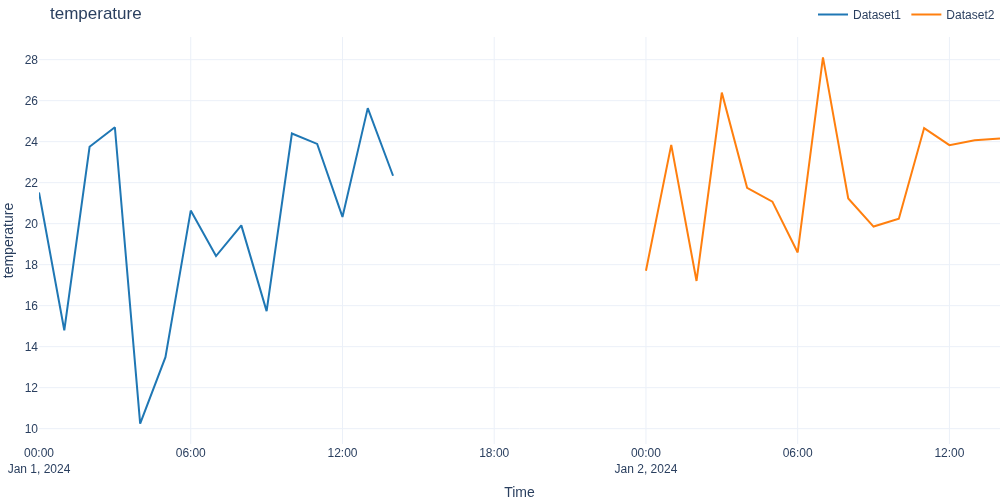
import numpy as npimport pandas as pdimport plotly.io as piofrom spotforecast2.plots.time_series_visualization import visualize_ts_comparison= "json" = np.random.default_rng(42 )= pd.date_range("2024-01-01" , periods= 15 , freq= "h" )= pd.date_range("2024-01-02" , periods= 15 , freq= "h" )= pd.DataFrame({"temperature" : rng.normal(20 , 5 , 15 )}, index= dates1)= pd.DataFrame({"temperature" : rng.normal(22 , 5 , 15 )}, index= dates2)# Compare two datasets with mean overlay "Dataset1" : df1, "Dataset2" : df2},= ["temperature" ],= True ,print ("visualize_ts_comparison: rendered with mean overlay" )
visualize_ts_comparison: rendered with mean overlay
visualize_ts_plotly
= None ,= '' ,= (1000 , 500 ),= 'plotly_white' ,= None ,** kwargs,Visualize multiple time series datasets interactively with Plotly.
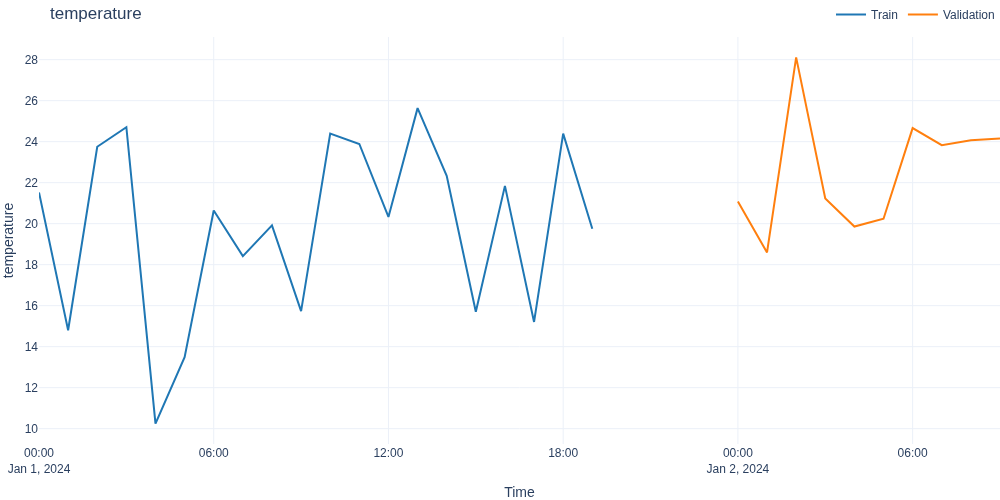
Creates interactive Plotly scatter plots for specified columns across multiple datasets (e.g., train, validation, test splits). Each dataset is displayed as a separate line with a unique color and name in the legend.
Parameters
dataframes
Dict [str , pd .DataFrame ]Dictionary mapping dataset names to pandas DataFrames with datetime index. Example: {‘Train’: df_train, ‘Validation’: df_val, ‘Test’: df_test}
required
columns
Optional [List [str ]]List of column names to visualize. If None, all columns are used. Default: None.
None
title_suffix
str Suffix to append to the column name in the title. Useful for adding units or descriptions. Default: ““.
''
figsize
tuple [int , int ]Figure size as (width, height) in pixels. Default: (1000, 500).
(1000, 500)
template
str Plotly template name for styling. Options include ‘plotly_white’, ‘plotly_dark’, ‘plotly’, ‘ggplot2’, etc. Default: ‘plotly_white’.
'plotly_white'
colors
Optional [Dict [str , str ]]Dictionary mapping dataset names to colors. If None, uses Plotly default colors. Example: {‘Train’: ‘blue’, ‘Validation’: ‘orange’}. Default: None.
None
**kwargs
Any Additional keyword arguments passed to go.Scatter() (e.g., mode=‘lines+markers’, line=dict(dash=‘dash’)).
{}
Returns
None
None. Displays Plotly figures.
Raises
ValueError If dataframes dict is empty, contains no columns, or if specified columns don’t exist in all dataframes.
ImportError If plotly is not installed.
TypeError If dataframes parameter is not a dictionary.
Examples
import numpy as npimport pandas as pdimport plotly.io as piofrom spotforecast2.plots.time_series_visualization import visualize_ts_plotly= "json" = np.random.default_rng(42 )= pd.date_range("2024-01-01" , periods= 20 , freq= "h" )= pd.date_range("2024-01-02" , periods= 10 , freq= "h" )= pd.DataFrame("temperature" : rng.normal(20 , 5 , 20 )}, index= dates_train= pd.DataFrame("temperature" : rng.normal(22 , 5 , 10 )}, index= dates_val= {"Train" : data_train, "Validation" : data_val}= ["temperature" ])print ("visualize_ts_plotly: rendered" , len (dataframes), "datasets" )
visualize_ts_plotly: rendered 2 datasets
Custom styling with colors:
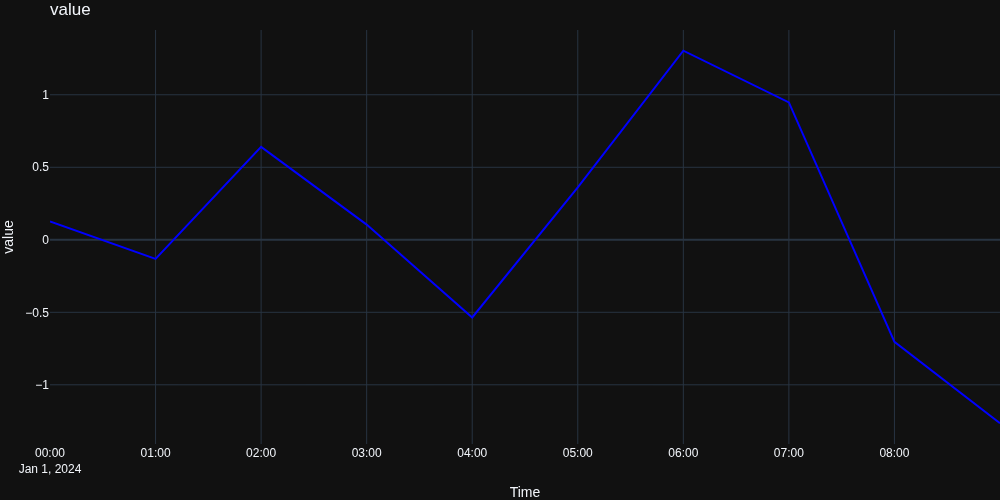
import numpy as npimport pandas as pdimport plotly.io as piofrom spotforecast2.plots.time_series_visualization import visualize_ts_plotly= "json" = np.random.default_rng(0 )= pd.date_range("2024-01-01" , periods= 10 , freq= "h" )= pd.DataFrame({"value" : rng.normal(0 , 1 , 10 )}, index= dates)"Data" : df},= ["value" ],= "plotly_dark" ,= {"Data" : "blue" },print ("visualize_ts_plotly: custom styling applied" )
visualize_ts_plotly: custom styling applied